 Abdur Razzak
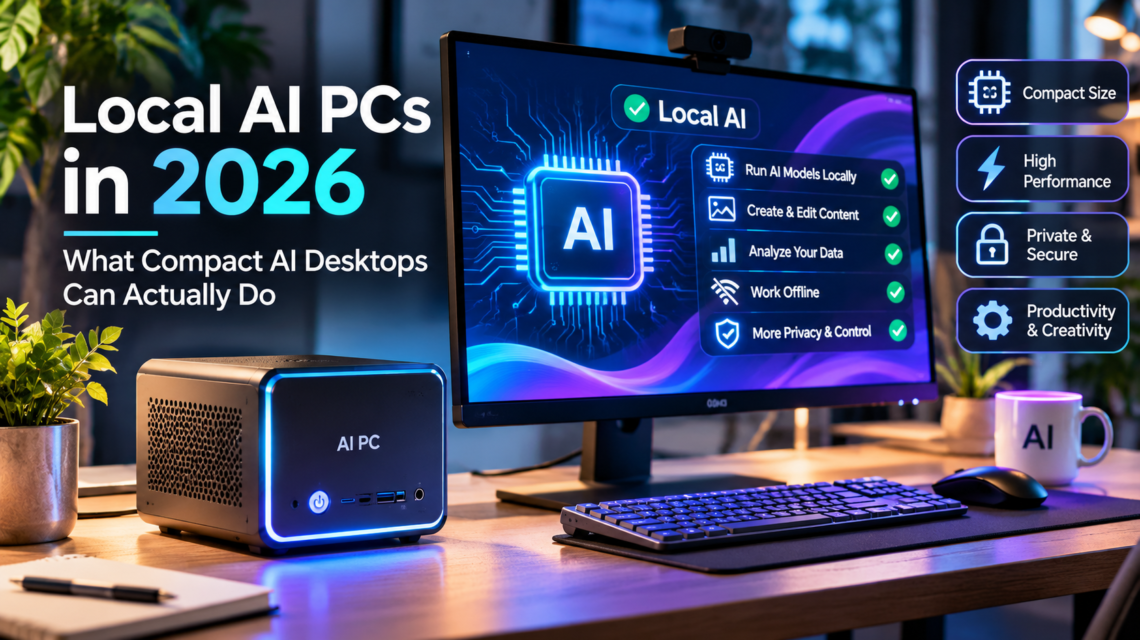
Local AI is moving from specialist workstations toward smaller desktop systems. New compact AI PCs announced in November 2026 are designed to run selected AI workloads close to the user, rather than sending every request to a cloud service. That can be useful for developers, creators, and technical users who want a dedicated machine for experimentation—but a compact AI PC is not automatically the right choice for every household or office.
This guide explains what local AI means, how compact AI desktops fit into the PC market, which hardware specifications matter, and how to decide whether a local system is worth considering.
What Does Local AI Mean?
Local AI means running some model inference or AI-assisted processing on hardware you control, such as a desktop, workstation, or laptop. The software and model execute on the local system, although downloading models, retrieving updates, or using connected services may still require an internet connection.
Local processing can offer more control over where files are handled and can reduce dependence on a remote service for supported tasks. It does not automatically guarantee privacy: software telemetry, cloud-connected features, backups, and user configuration still matter.
Why Compact AI Desktops Are Getting Attention
NVIDIA announced on November 18, 2026 that compact RTX Spark desktop systems from ASUS, Dell, and MSI were available, with up to 128 GB of unified memory and support for local AI agents, image and video generation, and model fine-tuning. Availability and specifications differ by system, so buyers should compare the exact model rather than assume every RTX Spark device has the same configuration.
The wider hardware direction is also visible in NVIDIA’s November 16 announcement of Rubin HPC, a data-centre GPU intended for simulation and data processing workloads in science, engineering, and analytics. That is a high-performance computing platform, not a consumer desktop component, but it illustrates how AI workloads are driving specialised compute development at different scales.
Which Specifications Matter in a Local AI PC?
Memory capacity
Model size, context length, quantisation, and the software stack all affect memory requirements. A system with more memory can accommodate some larger models, but memory capacity alone does not guarantee acceptable performance.
GPU and accelerator support
Check the supported frameworks, drivers, memory architecture, and software compatibility. A headline accelerator specification is less useful if the tools you need do not support it.
Storage
Local models and datasets can occupy substantial storage. An NVMe SSD can help with loading files and models, but the required capacity depends on the number and size of models you plan to keep.
Cooling and sustained performance
Compact systems have limited physical space. Check independent measurements of sustained performance, fan noise, temperatures, and power draw under workloads similar to your own.
Ports and expandability
Review display outputs, USB, networking, external storage support, and upgrade options. Some compact devices prioritise size over internal expansion.
Local AI vs Cloud AI
| Factor | Local AI | Cloud AI |
|---|---|---|
| Where processing runs | On your computer or local network | On a provider’s remote infrastructure |
| Hardware responsibility | You buy, power, maintain, and cool the system | Provider manages most compute infrastructure |
| Privacy control | More control over local files, subject to software settings | Depends on provider policy, plan, and configuration |
| Model choice | Limited by hardware and compatible software | May provide access to larger hosted models |
| Cost profile | Upfront hardware and ongoing electricity | Subscription, usage, or service fees |
For readers comparing local processing with hosted AI assistants, our ChatGPT in 2026 guide explains common cloud-based AI features and their practical use.
Who Should Consider a Local AI Desktop?
- Developers: people testing local inference, building prototypes, or experimenting with supported models.
- Creators: users whose image, video, or creative workflows are supported by the device’s software and performance.
- Researchers: teams that need repeatable local experiments and have a clear data-governance reason to process files locally.
- Enthusiasts: users who enjoy configuring hardware and software and understand the trade-offs.
For occasional AI questions, a standard PC paired with a cloud service may be simpler and less expensive. Avoid buying specialised hardware based only on a general claim that “AI needs a powerful PC.” Match the system to a real workload.
What to Check Before Buying
- List the models and applications you actually plan to run.
- Check official compatibility and supported operating systems.
- Compare memory capacity with the model requirements.
- Look for independent benchmarks using the same software and workload.
- Check sustained thermals, noise, power consumption, warranty, and upgrade options.
- Compare the total cost with a cloud plan or a conventional workstation.
Frequently Asked Questions
Can a compact AI PC run every AI model locally?
No. Model size, precision, memory requirements, software support, and performance expectations determine what can run locally.
Does local AI work without internet?
Some downloaded models can run offline, but installation, updates, licence checks, and cloud-connected features may require internet access.
Is local AI always more private?
Not automatically. Local processing can reduce the need to send some files to a remote service, but privacy also depends on the application, telemetry, network configuration, and data handling policies.
Is an AI desktop good for gaming?
It depends on the GPU, drivers, thermals, and design priorities. A system optimised for local AI may not deliver the best gaming performance or value compared with a gaming-focused PC.
Conclusion
Compact AI desktops make local inference and creative workloads more accessible, but the buying decision should start with software compatibility and actual workload requirements. Compare memory, accelerator support, cooling, noise, and total cost—not just the AI label on the product box.
Sources and Further Reading
- NVIDIA: RTX Spark Compact Desktops Out Now — announcement dated November 18, 2026.
- NVIDIA: Rubin HPC — announcement dated November 16, 2026.
Editorial note: Check the exact vendor model, regional availability, software compatibility, and independent performance tests before making a purchase.